
Design Communication: Combined with schematics, layouts, block diagrams, specifications and other documentation, the BOM plays a key role in communicating your design to a manufacturer. The BOM can be generated by you (assuming you are a consumer brand, a designer or a hardware specifier purchasing from a factory), by an Original Design Manufacturer (ODM, a factory with design capabilities), or by a combination of these.
Costs: The BOM is used to calculate product cost and to support cost-reduction efforts. By requesting an "Open BOM" or a "Priced BOM", manufacturers can give you a line-by-line price estimate. It is much easier to negotiate with suppliers line by line than to simply say "Your price is too high." It has become an increasingly accepted practice in the competitive world of contract manufacturing for factories to separate material costs from their profits or margins. This allows you to check every item in the BOM against multiple sources in order to negotiate on the details.
Purchasing: The BOM helps facilitate the purchasing of components. Many component distributors let you create a BOM on their website or upload one in various formats to fill a shopping cart. Without a BOM, ordering components can become unmanageable and error-prone.
Supply Chain: The BOM also helps in managing your supply chain and finances. For example, the BOM can be used to capture material lead times and when materials must be purchased in order to manufacture your product on time. More advanced uses can let you analyze the cost-benefit of buying long-lead-time components at risk, so that you have the option of producing a certain quantity of your product by a certain date.
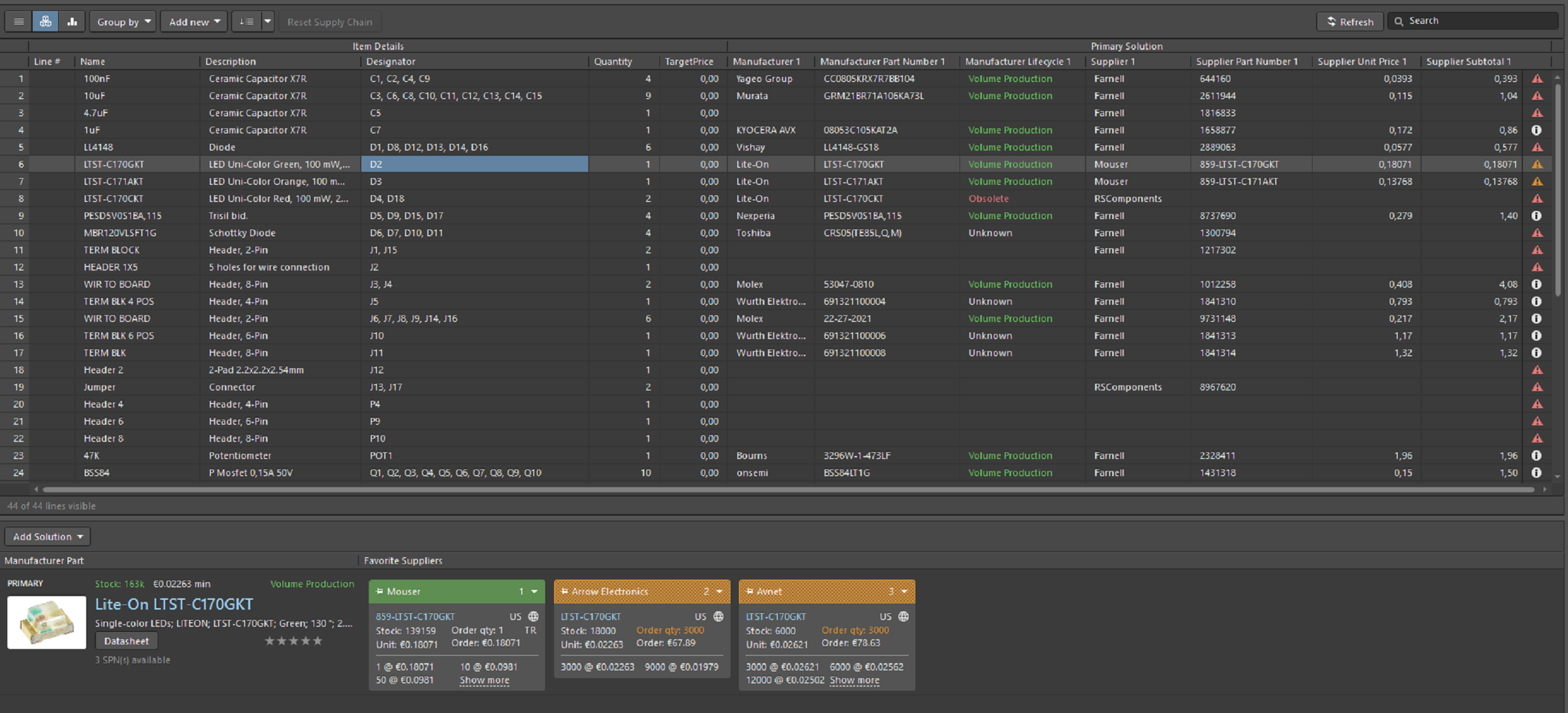

The SPN panel includes detailed information on the availability of the component at that specific supplier.
1- Tile banner showing the supplier name, whose color reflects the risk associated with choosing that supplier. The risk may change at any time based on the availability
and price data received from the component supplier.
- Green = Best choice
- Orange = Acceptable
- Red = Risky
2- Supplier part number (links to that part on the supplier's website).
3- Country code for the supplier's location (ISO alpha 2).
4- Component source and last update; the color indicates:
- Light gray = Default, updated less than a week ago
- Orange = 1 week < last update < 1 month ago
- Red = last update > 1 month ago
5- Stock quantity; red if no stock is available.
6- Unit price, red if not available. The unit price includes the currency icon; the currency is determined by the supplier's geographic location.
7- Packaging of the supplied parts (for example, Tr = Tray).
8-Available price discounts, with minimum order quantities.











PCB LAYOUT
